
Why Text-Based Projects Change Everything
Introduction
When evaluating a PLC platform, there is one question that reveals more than any feature list or benchmark:
Is the project stored as plain text or as a binary file?
It may seem like a minor technical detail. It isn’t.
This single decision determines how flexible, maintainable, and future-proof your development workflow will be. And yet, it’s rarely part of the conversation—especially from vendors.
Modern software engineering has already solved many of the challenges PLC development still struggles with. The key enabler behind those solutions is simple:
Code must be accessible, readable, and processable outside the IDE.
That only happens when your project is stored as plain text.
1. The Problem with Binary-Based PLC Projects
Many PLC environments still store projects as binary files.
This creates immediate limitations:
- No meaningful diff between versions
- Difficult integration with version control systems
- Limited automation capabilities
- Strong dependency on the IDE
In practice, this means:
- You cannot properly review changes
- You cannot easily automate workflows
- You cannot integrate with modern development pipelines
Binary projects turn your codebase into a black box.
2. Plain Text as the Foundation
When a PLC project is stored as plain text and organized in folders, everything changes.
You unlock:
- Seamless Git integration
- Code generation outside the IDE
- Integration with automated validation tools
- Code reviews without opening the programming environment
This is not just a technical improvement.
It is a paradigm shift from tool-centric development to workflow-centric engineering.
3. Git Integration Without Friction
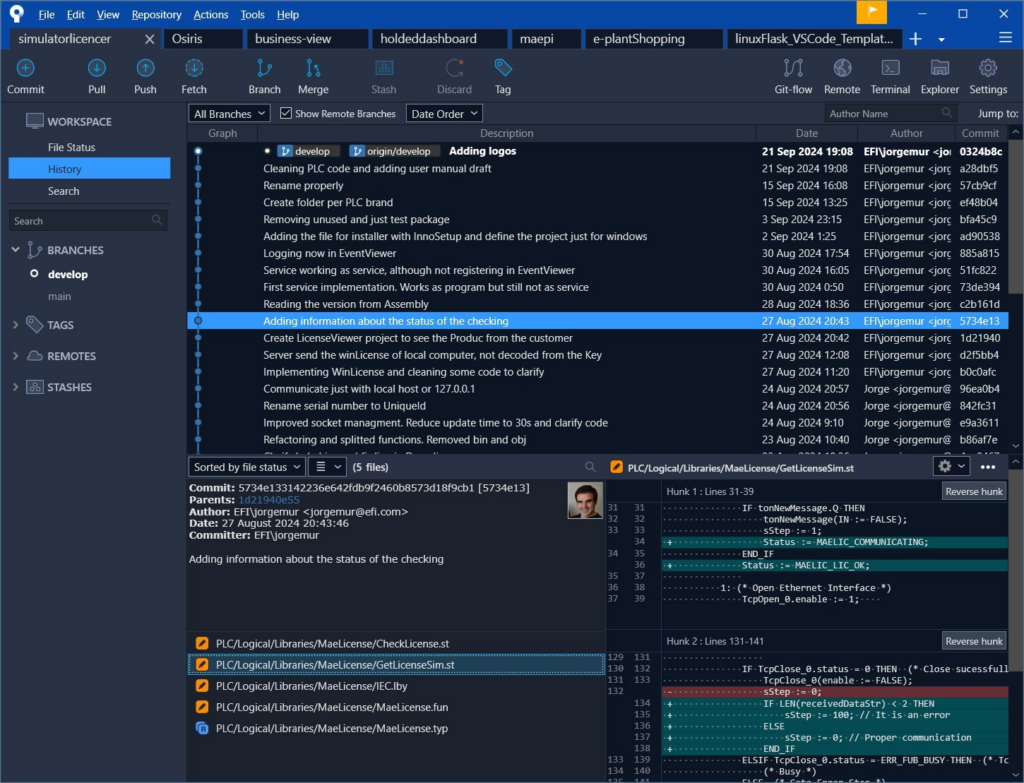
With plain text projects, Git works exactly as intended—no plugins, no workarounds.
This brings immediate advantages:
- Freedom of choice
Use any Git client: Sourcetree, TortoiseGit, CLI, etc. - Full Git capabilities
Cherry-picking, rebasing, branching strategies—all available without restrictions - IDE-independent code reviews
Changes can be reviewed in GitHub, GitLab, or any standard platform - Better collaboration
Developers can work using standard software practices
This is how version control is supposed to work.
Anything else is a compromise.
4. Coding Outside the IDE
This is where the real transformation happens.
When your code is accessible as text, you are no longer constrained by the PLC IDE. You can build automation around your development process.
What becomes possible?
- Batch compilation across machine configurations
- Automatic validation between PLC and external systems
- Centralized management of alarms and events
A Practical Example: Alarm Management
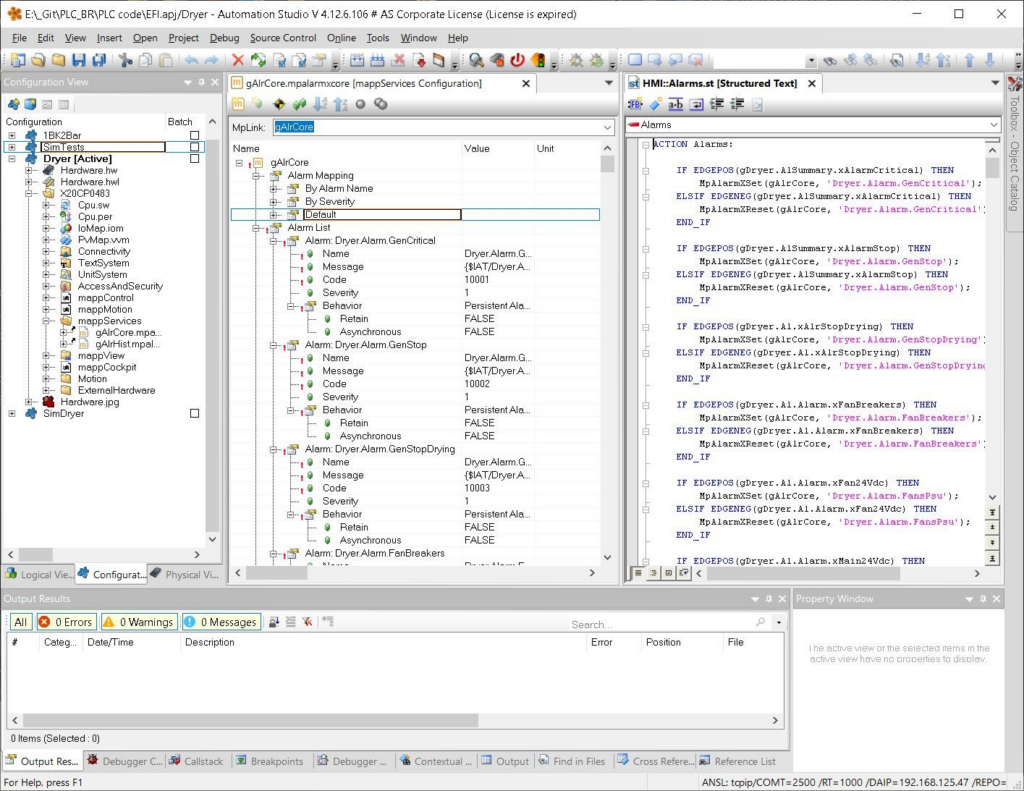
Consider a multilingual alarm system in a platform like B&R mappView.
Instead of managing alarms manually inside the IDE, you can:
- Define all alarms in a structured spreadsheet:
- Variable
- Text ID
- Multilingual messages
- Alarm code
- Severity
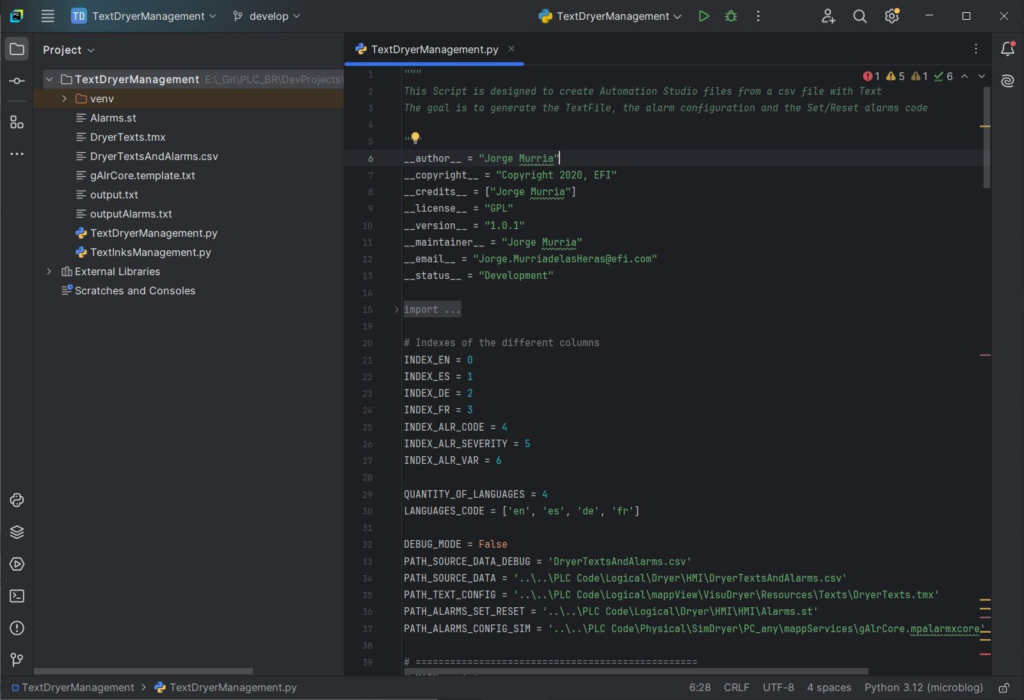
- Use a Python script to generate:
AlarmsDefinition(XML)TextsDefinition(XML)AlarmsConditions(Structured Text)
This approach delivers:
- Faster updates
- Fewer human errors
- Consistent structure across the project
More importantly, it turns repetitive engineering work into automated processes.
5. Automated Code Checking
Once your code is in plain text, you can apply the same quality standards used in modern software development.
Examples of tools and approaches:
- Lizard
Measures cyclomatic complexity and nesting depth to detect overly complex POUs - IEC-Checker (via PLCreX)
Validates Structured Text against PLCopen guidelines
Detects issues like:- Uninitialized variables
- Dead code
- Overly complex logic
- Custom scripts (Python, etc.)
Enforce:- Naming conventions
- Structural consistency
- Cross-project validation
These tools can run:
- Directly from your repository
- As part of CI/CD pipelines
- Without opening the IDE
Important distinction
IDE-specific tools (like Codesys Static Analysis or TwinCAT TE1200) are powerful—but tied to their environments.
Plain text projects give you tool independence.
6. Working Without the IDE
This may seem secondary—but it becomes critical when managing teams.
As a team lead or senior engineer, you need visibility:
- What was just merged?
- What changed?
- Where are the risks?
With binary projects, this requires:
- Opening the IDE
- Exporting data
- Navigating complex structures
With text-based projects, it becomes trivial.
Using any Git client, you can:
- Inspect commits
- Compare versions
- Track changes
- Understand code evolution
Impact on team performance
- Faster code reviews
- Earlier detection of issues
- Better mentoring and knowledge sharing
- More transparent workflows
This small shift fundamentally improves how teams collaborate.
7. The Bigger Picture: Bringing Software Practices into PLC Development
What all of this really represents is not a tooling improvement—but a discipline shift.
Plain text projects enable:
- Version control done right
- Automation of repetitive tasks
- Continuous validation
- Scalable team collaboration
These are standard practices in software engineering.
In PLC development, they are still emerging.
8. Final Thoughts
The format of your PLC project—text vs binary—is not a minor technical detail.
It defines:
- How you collaborate
- How you maintain systems
- How you scale projects
- How you ensure quality
If your code cannot be read, processed, and validated outside the IDE, you are limiting your engineering capabilities.
Modernizing PLC development does not start with new tools.
It starts with a simple decision:
Make your code accessible.
Everything else builds on top of that.